
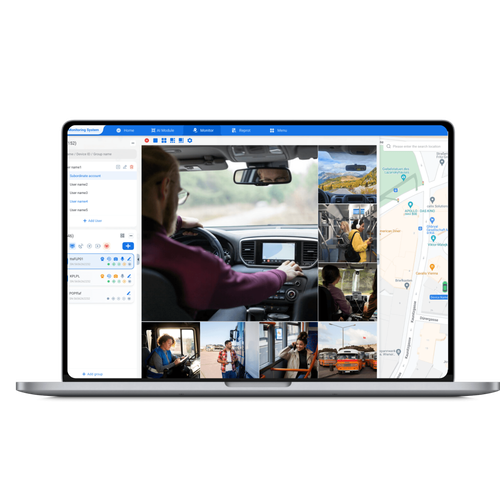
Who’s this for and what matters first
You’re a dispatcher, mechanic, or school transportation director who wants systems that actually make life easier without creating new headaches. When I helped rolling out a fleet management solution for medium-sized districts — including pilots in Los Angeles County — the priorities were simple: protect kids, keep drivers focused, and avoid surprises for IT. A good telematics fleet management system should follow those priorities, not the other way around.
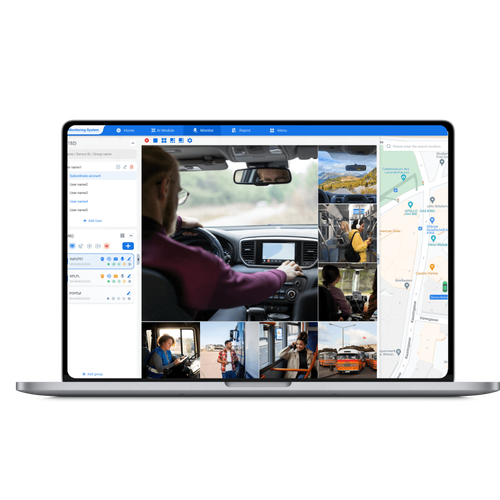
User needs mapped to security goals
Start by listing who touches the system and why. Match each person to a minimum-permissions role so access equals need:- Drivers: access to route data and vehicle health alerts; no access to raw location history beyond shift windows.- Dispatchers: live location and ETA tools; cannot delete logs.- Mechanics: diagnostic and fault codes; no ability to alter route assignments.- School admins/parents: controlled alerts (delayed arrival, emergencies) without continuous live tracking.This alignment reduces accidental data exposure and makes auditing straightforward.
Threats that actually matter to day-to-day operations
Forget scary, abstract attacks. Focus on the real risks your team will face:- Misconfigured permissions that let a temp user see full location histories.- Shared generic accounts that erase accountability.- Unsecured in-vehicle tablets left logged in between shifts.Address these, and most compliance headaches disappear.
Practical access-control checklist
Use this checklist during procurement and setup:- Role-based access control (RBAC) with granular scopes.- Time-bound permissions for substitutes and contractors.- Multi-factor authentication for administrative users.- Enforced session timeouts on mobile and in-vehicle devices.- Immutable audit logs stored off-device for at least the district’s retention period.- Simple, documented offboarding steps when staff leave.This is the set of protections that actually reduces incidents without making tools unusable.
Common implementation mistakes to avoid
Teams often trip over the same things:- Overly broad admin roles to “keep things moving.” That’s a recipe for accidental deletions.- Treating telematics terminals like consumer tablets — no lock screens or auto-logout.- Assuming parents should get full live tracking by default. Offer opt-in, limited-scope alerts instead.Fix these early; they cost far less than retrofitting controls later.
How to evaluate vendors and integrations
Don’t glaze over the specs. Ask vendors to show, not tell:- Live demo of role creation and a sample audit trail.- Clear API docs that include permission boundaries for third-party integrations.- Evidence of regular security reviews and patch cycles.- A migration plan for historical data that preserves privacy settings.Compare a few practical alternatives by testing scenarios your team will actually use, rather than trusting whitepapers.
Quick rollout blueprint for busy teams
Keep the initial deployment tight and iterative:1. Map roles and minimal permissions in a workshop with reps from dispatch, maintenance, and administration.2. Configure RBAC and test with a small pilot squad for two weeks.3. Run a simulated offboard and device-loss incident to validate controls and auditability.4. Train drivers with brief, hands-on sessions focused on locking devices and what alerts they’ll see.5. Expand rollout and keep regular quarterly reviews of access lists.Small, repeated improvements beat one big, disruptive launch.

Measuring success and maintaining trust
Track these simple KPIs:- Number of unauthorized-access incidents (aim for zero, track trends).- Time to revoke access after staff changes.- Percentage of devices with enforced session timeouts.- Driver-reported friction with security controls.Quantitative tracking plus monthly touchpoints with stakeholders keeps the program honest.
Wrap-up that ties the practical to the provider
Put users first: precise roles, short sessions, clear audit trails, and routine checks. Those moves protect kids, keep drivers confident, and stop IT from firefighting. For districts looking for a solid balance of usability and control, BSJ fits the approach that respects operators’ needs while keeping privacy and access control tight.